


.png?width=50&height=50&name=feedbackfive-menu-icon(orange).png "feedbackfive-menu-icon(orange)")

Originally published on February 9, 2026, updated March 30, 2026
Menu
Join Our Email List
- Receive our monthly newsletter.
- Stay up to date on Amazon policies.
- Get tips to grow your business.
/%5BeComEngine%5DLogo-2019-linear.svg "eComEngine Logo")
 |
Review Monitoring Quickly identify review trends |
|
Review Monitoring Quickly identify review trends |

Poor Amazon inventory forecasting is the business equivalent of showing up to a potluck with an empty Crock-Pot and confidence. You didn’t just miss a few sales, you missed momentum. And on Amazon, momentum is basically oxygen.
When you go out of stock, you don’t only lose revenue for that day. You risk:
And stockouts aren’t a rare edge case. They’re a major piece of the global “inventory distortion” problem. IHL Group estimates inventory distortion totals about $1.7T (projected), with out-of-stocks accounting for $1.2T of that loss.
That’s not “oops.” That’s “this is why we can’t have nice things.”
Forecast Smarter with RestockPro
The obvious loss is the sales you didn’t get. The painful loss is the sales you don’t realize you’ll miss next week.
1) You lose the compounding effect of consistent sales
Amazon loves stability. Stable sales = stable rankings = stable impressions = stable conversions. Stockouts interrupt the cycle.
2) Your “recovery period” is real
Many sellers restock and expect sales to instantly snap back. Often, they don’t, because your listing has to “earn back” its traction.
3) You create a forecasting trap
Your next forecast is now polluted: your last 30 days include days you couldn’t sell even if customers were begging.
Quick win: If you want forecasting to stop feeling like tarot cards, you need a repeatable process and a way to avoid the “false signals” that trick sellers into bad buys.
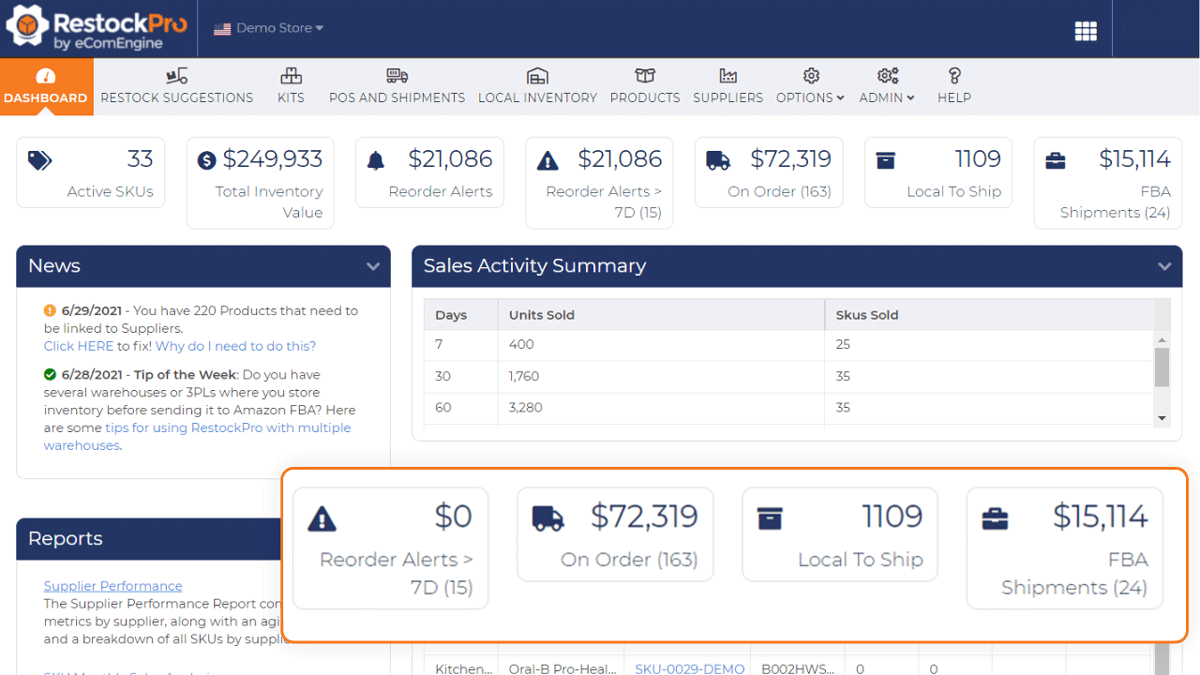
This Amazon inventory forecasting workflow runs once per month and refines weekly. The goal isn't perfection. The goal is "in-stock with confidence."
For most Amazon sellers, a strong default is:
If your product is seasonal or promo-driven, go 60 days baseline and use weekly check-ins.
Before you calculate anything, identify and mark:
If you don’t remove these, you’re not forecasting demand… you’re forecasting chaos.
Use a simple baseline:
Not “days in the month.” In-stock days. Otherwise your stockout makes demand look smaller… which causes the next stockout. (A beautiful circle of pain.)
Now account for how long it takes to restock:
Lead Time Demand = Daily Demand × Total Lead Time Days
Safety stock is your “Amazon did Amazon things” cushion.
A simple approach:
Safety Stock = Daily Demand × Safety Days
This is the magic number where you reorder before you’re sweating.
Reorder Point = Lead Time Demand + Safety Stock
When your available inventory approaches that number, it’s time.
Now decide your target coverage:
Monthly Order Qty = (Daily Demand × Target Coverage Days) – Current Available Inventory
And yes, storage fees matter. But stockouts usually cost more than storage when you factor in momentum loss.
These are the usual suspects that make sellers reorder too much, too little, or at exactly the wrong time.
Coupons, Prime promos, lightning deals… these can spike velocity temporarily. If you bake that spike into your baseline, you’ll overbuy.
Fix: Separate promo periods from your baseline demand calculation.
When you restock after being out, sales may surge because customers were waiting, or because ads re-accelerate.
Fix: Treat the first few days post-restock as a separate data segment.
If you doubled ad spend, your sales rate may rise, but it might not hold if spend returns to normal.
Fix: Forecast using a baseline aligned with your planned ad strategy.
A price drop can lift conversion rate and velocity. A price increase can slow velocity. Both impact reorder needs.
Fix: Note price change dates and use separate baselines before/after.
Suppression, buyability issues, image changes, variation problems… your demand might be fine, but your listing wasn’t.
Fix: Always review listing health before declaring demand “down.”
Back-to-school, summer, Q4, category-specific peaks… it’s not just retail. Amazon amplifies it.
Fix: Compare month-over-month and year-over-year when possible.
If competitors go out of stock, you might get a temporary lift. Congrats. It’s not permanent.
Fix: Don’t lock that lift into your long-term forecast.
Here’s the cadence that keeps you ahead without living inside inventory reports:
Weekly (15 minutes)
Monthly (60–90 minutes)
This is how you stop forecasting from being a panic event and turn it into a system.
If you’re doing this manually, you’re basically building a forecasting engine out of duct tape, caffeine, and good intentions.
RestockPro helps you forecast demand and plan replenishment with logic designed for sellers who want to stay in stock and protect profit, not just buy more inventory and hope for the best.
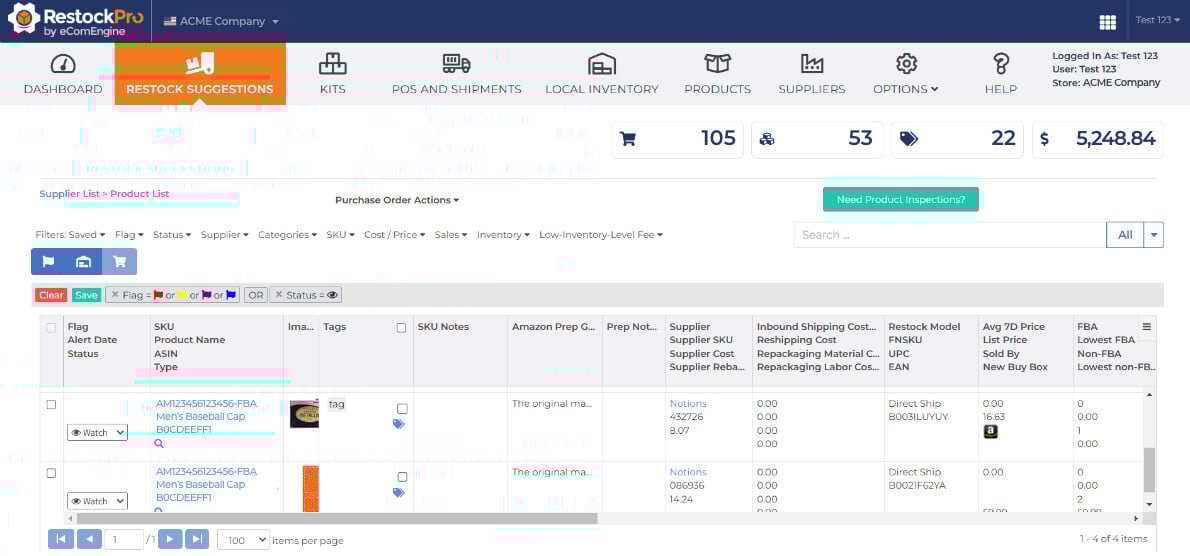
The most expensive stockout isn’t the day you went out of stock.
It’s the week after, when sales don’t bounce back like you expected, ads get inefficient, and you realize your momentum didn’t just pause… it wandered off.
Run the monthly method. Avoid false signals. Protect the flywheel.
And if you’d rather spend your brainpower on growth instead of spreadsheet therapy:
Forecast Smarter with RestockPro






No Comments Yet
Let us know what you think