


.png?width=50&height=50&name=feedbackfive-menu-icon(orange).png "feedbackfive-menu-icon(orange)")

Originally published on April 7, 2026, updated April 7, 2026
Menu
Join Our Email List
- Receive our monthly newsletter.
- Stay up to date on Amazon policies.
- Get tips to grow your business.
/%5BeComEngine%5DLogo-2019-linear.svg "eComEngine Logo")
 |
Review Monitoring Quickly identify review trends |
|
Review Monitoring Quickly identify review trends |

Q2 has a funny way of exposing bad habits.
That “we’ll fix it later” SKU naming mess? Suddenly it’s slowing decisions down.
That extra inventory you swore would move? Still sitting there like a warehouse paperweight.
That review system you meant to automate? Still being managed by vibes and wishful thinking.
Spring is a good time to clean your house. It’s an even better time to clean your Amazon operation.
And that matters, because inventory distortion is not some tiny back-office annoyance. IHL Group says the global cost of inventory distortion reached $1.7 trillion in 2024, including $1.2 trillion tied to out-of-stocks and $554 billion tied to overstocks. That is not a typo. That is a giant flashing billboard that says, “Your inventory decisions matter.”
So instead of carrying Q1 chaos into Q2 wearing a fresh haircut and pretending it’s strategy, use this 12-point checklist to tighten operations, protect margins, and set your business up for cleaner growth.
Q1 is usually a mix of recovery, recalibration, and trying to remember what happened during holiday season chaos. Q2 is where smart sellers stop reacting and start operating with intention.
This is the window to:
In other words: less scrambling, more control.
Not every SKU deserves a comeback tour.
Pull a list of products with weak sell-through, aging inventory, or declining margin. Then separate them into three buckets:
Products worth restocking and supporting
Products that may recover with pricing, content, bundling, or promo support
Products that are just taking up space, tying up cash, and quietly sabotaging your profitability
Spring cleaning starts with honesty. If a SKU has been “temporary” dead weight for six months, congratulations, it’s furniture now.
Want a faster way to spot which SKUs are worth restocking and which ones are quietly draining profit? RestockPro’s SKU-level profitability and restock tools are built for exactly that.
Overbuying feels safer than stocking out. Until the fees show up.
Aged inventory, slow-moving units, and excess coverage can quietly chew through margin while you’re busy celebrating “having enough inventory.” Amazon sellers know this story: you solved one problem and accidentally adopted three more.
Review your SKUs for:
RestockPro specifically highlights historical days of supply and metrics that help sellers identify SKUs at risk of low-inventory-level fees and aged inventory fees.
That’s helpful, because “Oops, we bought too much” is not a growth strategy. It’s a storage bill.
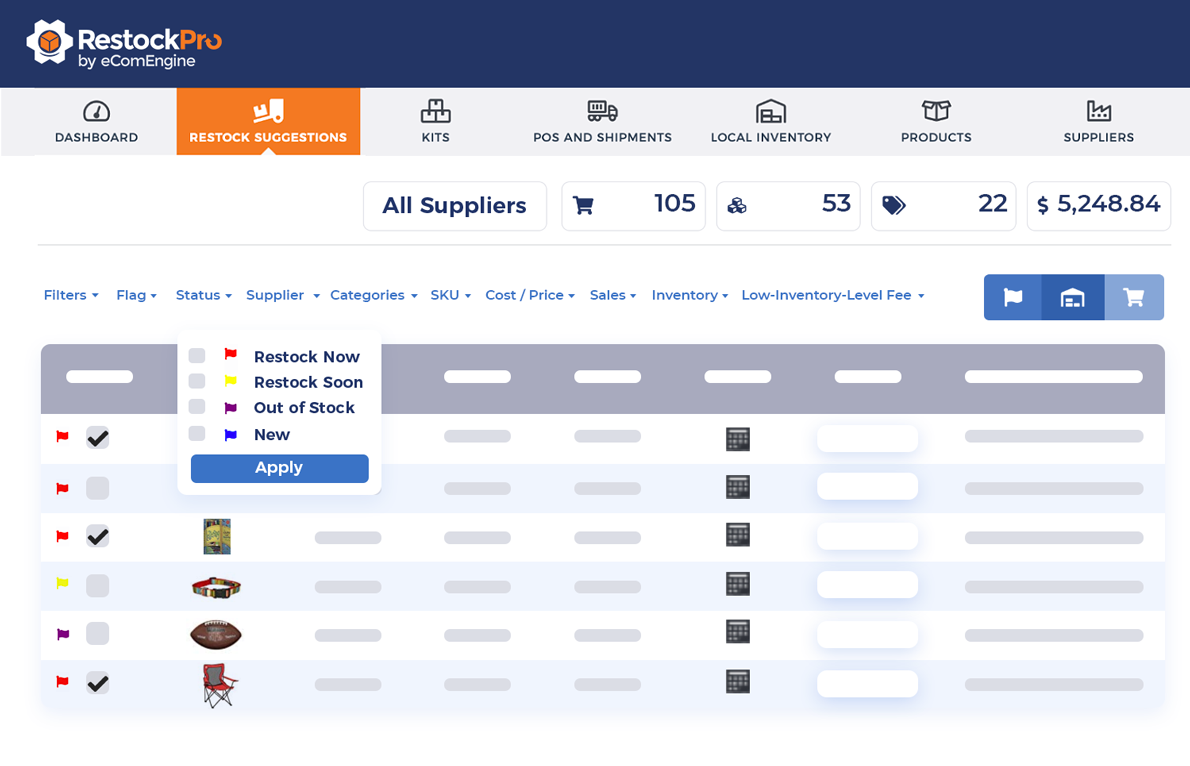
A lot of inventory problems are not caused by bad intentions. They are caused by lazy assumptions.
If your reorder decisions still rely on rough guesses, outdated spreadsheets, or someone saying, “I think we’re probably okay,” this is your sign to intervene.
RestockPro’s forecasting tools are designed around these kinds of variables, including sales velocity, target quantity on hand, coverage available, and other inputs that shape restocking decisions.
Because “probably okay” is how sellers end up simultaneously overstocked and out of stock, which is honestly a pretty rude trick for inventory to pull.
Messy catalog structure creates slow decisions.
If your SKU naming conventions are inconsistent, variation relationships are confusing, or your team has to decode product names like they’re reading ancient symbols off a cave wall, clean it up now.
A cleaner catalog makes forecasting easier, reporting cleaner, and operational handoffs less painful.
Which is good, because nobody wants to spend Q2 solving riddles like, “Why do we have three nearly identical SKUs named Blue-XL, BluXL, and FINAL-blue-xl-NEW?”
Sometimes the issue is not demand. Sometimes the issue is that the listing is broken, suppressed, incomplete, or otherwise behaving like it’s on strike.
Review product-level issues such as:
Operational spring cleaning is not just about buying smarter. It is also about making sure your listings are actually able to convert and move.
Because inventory can’t sell if your listing is basically hiding behind the couch.
Q2 is a smart time to stop pretending last quarter’s margins still exist.
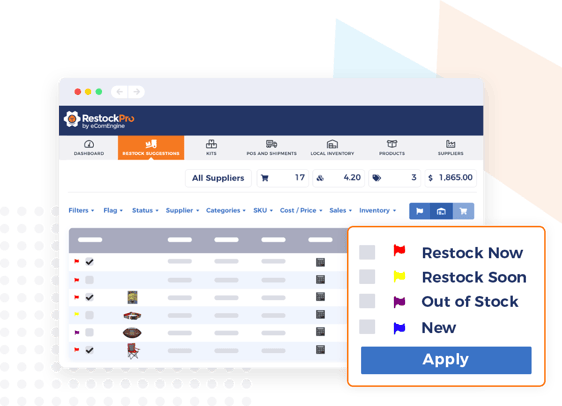
Costs change. FBA fees change. Packaging changes. Ad costs change. Competitive pressure changes. If you’re still making restock decisions based only on unit sales, you’re missing the part where profit pays the bills.
RestockPro’s profit management features surface SKU-level data like units sold, quantity on hand, estimated margin, estimated fees, sales price, and total profit to help sellers make faster restocking decisions.
Revenue is nice. Profit is what gets invited back.
A neglected review strategy is one of the easiest ways to leave conversion on the table.
If your team is still manually requesting reviews, inconsistently following up, or simply hoping buyers wake up one day feeling generous, it’s time to automate the process.
A healthy review system helps you:
And yes, the timing matters. Q2 is a great time to tighten this up before summer sales ramps, promos, and catalog pushes.
Because more traffic to a listing with weak review velocity is just a more expensive way to be disappointed.
Not every operational problem lives in the inventory tab.
Sometimes a product is underperforming because the listing content has gotten stale, the images are weak, the title is doing too much, or the bullets read like they were written during a minor emotional breakdown.
Review key listings for:
If your product page is making shoppers work too hard, they’ll do what shoppers do best: leave.
Many inventory issues start upstream.
If your suppliers are inconsistent, lead times have drifted, or purchase order timing is based on old assumptions, your restock logic can look correct on paper while being wildly wrong in real life.
You do not need dramatic supply chain chaos for Q2 problems to happen. You just need one stale assumption and a few bad timing decisions.
Fun.
Every Amazon business has reports that still exist mostly because no one had the heart to delete them.
This is the quarter to clean up dashboards, spreadsheets, exports, and recurring reports that create noise instead of insight.
Keep the reports that help you answer real questions like:
Delete the rest.
If a report requires a decoder ring, three tabs, and a support group, it may not be helping.
A checklist is great. A repeatable operating rhythm is better.
Don’t turn this into a one-time spring cleaning session followed by three months of operational amnesia.
Create a simple weekly review cadence around:
In-stock risk, overstock risk, days of supply
Margin shifts, fee exposure, underperforming SKUs
Suppressed listings, stranded inventory, conversion laggards
Products with weak review velocity or declining rating trends
This is where the magic happens. Not in one heroic cleanup day, but in consistent, boring, profitable discipline.
Yes, boring. But also effective. Which is honestly, hot.
There comes a point where operational maturity means admitting the spreadsheet is no longer your friend. It’s your hostage negotiator.
RestockPro is built to help Amazon sellers stay in stock without overstocking, remove guesswork from restocking, centralize supplier and replenishment decisions, and surface the data needed to make faster inventory and profit decisions. eComEngine also says the tool analyzes hundreds of data points and supports custom restock suggestions based on your goals.
That matters because the goal is not to become the world’s most emotionally exhausted spreadsheet curator.
The goal is to make smarter decisions faster.
Q2 growth does not usually break because of one giant disaster.
It breaks because of small operational messes that pile up:
That’s the bad news.
The good news is that most of these problems are fixable. And once you fix them, your business gets faster, cleaner, and a lot harder to knock off course.
So yes, do the spring cleaning.
Not because it feels productive. But because it is productive.
Q2 gets a whole lot easier when you know what to reorder, what to hold, and what to stop throwing money at. RestockPro helps Amazon sellers forecast demand, monitor inventory health, avoid unnecessary FBA fees, and make faster SKU-level decisions based on real data.
Use RestockPro to Reduce Over/Under-BuyingQ: 1: What should Amazon sellers clean up before Q2?
Amazon sellers should clean up dead inventory, overstocked SKUs, messy catalog structures, weak reorder logic, outdated listing content, and neglected review systems before Q2. These issues can quietly hurt cash flow, slow decision-making, and create margin problems just when sellers are trying to grow. A strong Q2 starts with a cleaner, more organized operation.
Q: 2: Why is inventory cleanup so important for Amazon sellers in Q2?
Inventory cleanup is important in Q2 because excess stock and stockouts both create expensive problems. Overstock ties up cash and can lead to aged inventory fees, while understocking can cause missed sales and ranking losses. Cleaning up inventory before Q2 helps sellers make smarter purchasing decisions and avoid carrying Q1 mistakes into the next growth cycle.
Q: 3: How do I know if a SKU is dead inventory?
A SKU is usually considered dead inventory when it has low sell-through, weak demand, aging units, and no clear path to recovery through pricing, promotions, or listing improvements. If a product keeps sitting without meaningful movement, it may be tying up cash and warehouse space without contributing to growth. Sellers should review those SKUs and decide whether to fix them, discount them, or cut them loose.
Q: 4: What is the difference between overstocking and understocking on Amazon?
Overstocking means buying more inventory than demand supports, which can increase storage costs, aged inventory fees, and cash flow pressure. Understocking means running out of inventory too soon, which can lead to lost sales, reduced ranking, and missed momentum. Both problems hurt profitability, which is why Amazon sellers need better forecasting and reorder discipline heading into Q2.
Q: 5: How often should Amazon sellers review inventory and restock decisions?
Amazon sellers should review inventory health and restock decisions at least once per week. A weekly review helps catch stockout risks, excess inventory, margin changes, supplier timing issues, and SKU-level problems before they turn into bigger operational headaches. Waiting too long usually means your inventory is making decisions for you, and it is not always a team player.
Q: 6: Why should Amazon sellers automate review requests?
Amazon sellers should automate review requests because automation helps create a more consistent review process without relying on manual follow-up. That consistency can improve review velocity, strengthen buyer trust, and support better conversion over time. In other words, it helps your listings work harder without asking your team to babysit every order.
Q: 7: What is the best way to reduce overbuying and stockouts on Amazon?
The best way to reduce overbuying and stockouts on Amazon is to use a forecasting system based on real sales velocity, lead times, inventory levels, and SKU performance. Sellers who rely on guesses or outdated spreadsheets are more likely to order too much of the wrong product or not enough of the right one. Better restock tools help you make faster, more confident decisions before inventory problems get expensive.
If your inventory strategy still depends on spreadsheets, crossed fingers, and someone saying “I think we’re okay,” it might be time for an upgrade. Use RestockPro to make smarter restocking decisions, reduce over- and under-buying, and head into Q2 with a lot less chaos and a lot more control.
Use RestockPro to Reduce Over/Under-Buying








No Comments Yet
Let us know what you think