


.png?width=50&height=50&name=feedbackfive-menu-icon(orange).png "feedbackfive-menu-icon(orange)")

Originally published on June 24, 2026, updated June 24, 2026
Menu
Join Our Email List
- Receive our monthly newsletter.
- Stay up to date on Amazon policies.
- Get tips to grow your business.
/%5BeComEngine%5DLogo-2019-linear.svg "eComEngine Logo")
 |
Review Monitoring Quickly identify review trends |
|
Review Monitoring Quickly identify review trends |

Prime Day has a special talent for making everything feel urgent.
Sales are moving. Ads are spending. Inventory is shifting. Competitors are poking around your Buy Box like raccoons near an unsecured trash can. And somewhere in the middle of all that chaos, you’re supposed to make smart decisions.
Easy, right?
Not exactly.
Prime Day event windows can generate enormous multi-day eCommerce spending spikes. According to Adobe Analytics, U.S. retailers generated $24.1 billion in online spend across the 2025 Prime Day event window from July 8–11, up 30.3% year over year.
That kind of demand surge is exciting. It can also expose every weak spot in your Amazon operation.
That’s why sellers need more than a pile of reports and a nervous refresh habit. You need a simple daily scoreboard: a focused set of Prime Day metrics that helps you react fast without overreacting.
Because during Prime Day, the goal is not to chase every blip.
The goal is to spot the signals that actually matter.
Prime Day performance can change quickly.
One ASIN may take off faster than expected. Another may get plenty of traffic but fail to convert. A best seller may start burning through inventory too fast. Ad spend may climb before the return shows up. A listing issue may quietly wreck momentum while everyone is busy celebrating top-line sales.
A daily scorecard gives your team one shared view of what is happening, what needs attention, and what can be left alone.
That last part matters.
Not every dip is a disaster. Not every spike is a strategy. And not every dashboard deserves to ruin your lunch.
A good Prime Day scorecard helps you answer three questions each day:
→ 1. Are we protecting profit?
→ 2. Are we protecting inventory?
→ 3. Are we protecting momentum?
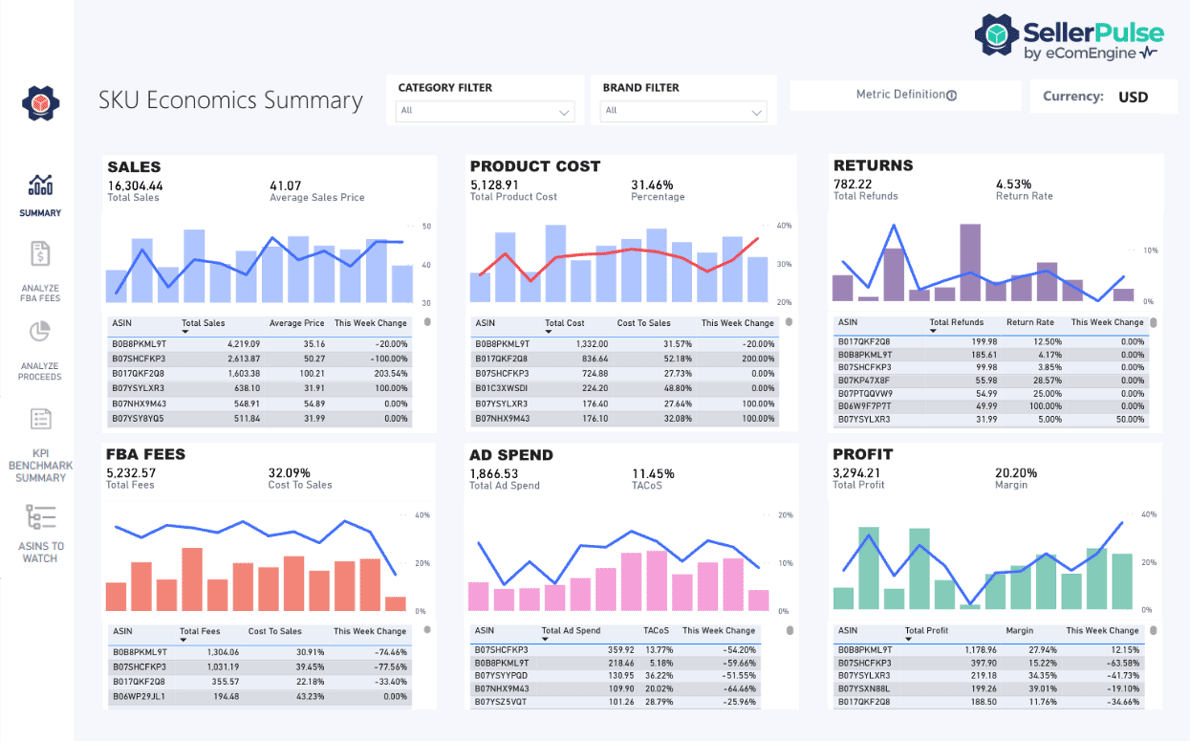
SellerPulse is built for exactly this kind of signal monitoring. It helps Amazon sellers keep a close eye on the account, listing, and performance changes that can impact revenue. RestockPro adds the inventory planning support sellers need when traffic spikes and stock positions start changing fast.
Together, they help sellers move from “I think something changed” to “Here’s what changed, here’s what it means, and here’s what we should do next.”
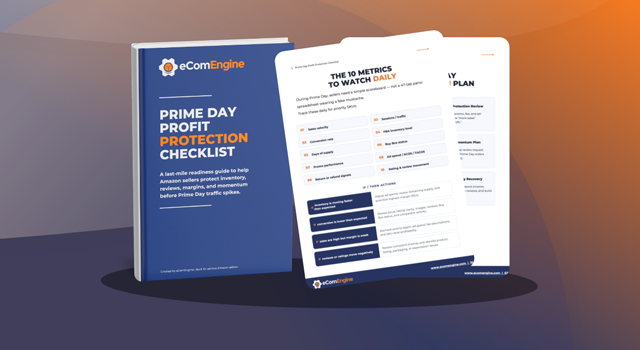
Use this scorecard before, during, and immediately after Prime Day. The goal is not to make your day more complicated. It is to make your decision-making cleaner.
Check these metrics daily, assign ownership where needed, and define your “if/then” actions before traffic starts climbing.
Traffic is the first signal that Prime Day demand is arriving.
Sessions show how many shoppers are landing on your product detail pages. During Prime Day, this metric helps you identify which ASINs are getting attention and which ones are being ignored by the traffic parade.
Look for sudden increases or decreases in sessions by ASIN. Compare performance against your forecast, your historical promotional periods, and your most important Prime Day offers.
If sessions are up and conversion is steady or improving, consider increasing support behind that ASIN. This may include boosting ad budget, watching inventory more closely, or prioritizing that product in post-event follow-up.
If sessions are up but conversion is down, review the listing immediately. Check pricing, images, reviews, coupons, Buy Box status, and competitor offers.
If sessions are flat or declining, evaluate whether the offer is visible enough. You may need to review ad coverage, keyword targeting, deal placement, or listing competitiveness.
Traffic is nice. Converting traffic is better.
Unit Session Percentage helps sellers understand how effectively a listing turns visits into purchases. During Prime Day, this is one of the most useful conversion signals because it separates “people are looking” from “people are buying.”
Monitor Unit Session Percentage by ASIN, especially on products receiving elevated traffic.
A spike in sessions without a corresponding lift in orders may point to a conversion issue. A strong Unit Session Percentage may indicate that an ASIN deserves more attention, budget, or inventory protection.
If Unit Session Percentage improves, your offer is likely resonating. Keep monitoring inventory and ad efficiency to avoid creating a new problem while solving an old one.
If Unit Session Percentage drops, check the product page experience. Look at price, offer clarity, reviews, ratings, images, A+ Content, delivery promise, and Buy Box status.
If Unit Session Percentage drops only on one ASIN, treat it like a listing-specific issue, not a full-account panic event.
Ordered units tell you how quickly demand is turning into actual sales volume.
This metric is especially important during Prime Day because revenue alone can hide what is happening at the product level. A higher-priced ASIN may drive strong revenue with fewer orders, while a lower-priced ASIN may move a high number of units and create inventory pressure quickly.
Track ordered units by ASIN and SKU. Compare actual daily sales against your Prime Day forecast.
You want to know which products are beating expectations, which are lagging, and which may create stockout risk if the pace continues.
If ordered units are higher than forecast, check days of supply immediately. Strong sales are great until they turn into an out-of-stock cliff.
If ordered units are lower than forecast, review traffic and conversion signals before making changes. The issue may be visibility, offer strength, or product demand.
If ordered units spike unexpectedly, make sure your team knows whether the spike is profitable before throwing more ad spend at it.
Revenue gives you the top-line story, but Prime Day sellers should avoid treating it as the whole story.
A product can generate impressive sales while quietly eroding margin. Another product may produce lower revenue but stronger profit. Prime Day is not just about selling more. It is about selling more of the right products at the right economics.
Review revenue by ASIN and compare it against your expected performance.
Pay special attention to revenue concentration. If a small number of ASINs are driving most of your sales, those listings need extra monitoring for inventory, Buy Box status, conversion shifts, and margin impact.
If revenue is up and profit signals are healthy, continue supporting the ASIN while monitoring inventory.
If revenue is up but margins are shrinking, review discounting, ad spend, fees, and fulfillment costs.
If revenue is below forecast, check whether the issue starts with traffic, conversion, inventory availability, or offer competitiveness.
Prime Day is not the time to find out you lost the Buy Box after the damage is done.
Buy Box Percentage is one of the most important operational metrics to watch during high-traffic events. If you lose the Buy Box on a key ASIN, your conversion opportunity can drop fast.
Monitor Buy Box changes on priority ASINs, especially products with aggressive competition, tight pricing, or multiple sellers.
SellerPulse can help sellers monitor important listing and account signals so potential issues do not sit unnoticed while Prime Day traffic is peaking.
If Buy Box Percentage drops, check pricing, fulfillment method, stock status, seller performance, and competitor activity.
If a key ASIN loses the Buy Box, escalate immediately. This is not a “circle back next Tuesday” situation.
If Buy Box Percentage is stable, keep monitoring. Stability during Prime Day is a win worth protecting.
Prime Day ad performance can be noisy.
Competition increases. CPCs may rise. Budgets may deplete faster. Sponsored Products campaigns that looked calm last week may suddenly start behaving like they drank six espressos and discovered capitalism.
That does not mean you should shut everything down at the first sign of higher spend.
It means you need to watch ad spend and ACOS in context.
Monitor daily ad spend, ACOS, CPC, clicks, and conversion rate. Compare ad-driven sales against organic sales and total revenue.
The goal is to understand whether ad spend is supporting profitable momentum or simply buying expensive traffic that does not convert.
If ad spend rises but conversion and sales also rise, the campaign may still be doing its job. Watch margin and inventory before making aggressive cuts.
If ad spend rises and conversion falls, review targeting, bids, budget allocation, and listing quality.
If budgets run out early on profitable campaigns, consider reallocating spend from weaker campaigns rather than simply increasing total budget.
ACOS is helpful, but Total Advertising Cost of Sales can give you a broader view of ad impact.
TACOS compares ad spend to total sales, helping you understand whether ads are supporting overall growth or becoming too large a share of revenue.
During Prime Day, this matters because organic and paid momentum often interact. A campaign may look expensive at the campaign level but still support total sales growth. On the other hand, a campaign may look active while doing very little for actual profitability.
Track TACOS daily across your account and by product group when possible.
Look for meaningful changes against your normal baseline. A temporary increase may be acceptable during a major sales event, but it should be intentional.
If TACOS rises while total sales and profit are strong, continue monitoring before making major changes.
If TACOS rises and total profit weakens, review whether ads are pushing the wrong products, weak offers, or low-margin sales.
If TACOS improves, identify what is working and consider whether the same strategy can be applied to similar ASINs.
Prime Day inventory management is a balancing act.
Too much inventory ties up cash. Too little inventory creates missed sales and ranking risk. During Prime Day, inventory available should be checked daily because sales velocity can change quickly.
This is where RestockPro becomes an important support tool. While SellerPulse helps sellers monitor performance signals, RestockPro helps sellers understand inventory positions, restock needs, and replenishment priorities.
Track available inventory by SKU, especially for top sellers and promoted products.
Look at inventory in relation to sales velocity. Do not simply ask, “How many units do we have?” Ask, “How long will those units last if today’s pace continues?”
If inventory is healthy and sales are strong, keep supporting the ASIN while watching velocity.
If inventory is getting tight, evaluate whether to reduce ad pressure, adjust promotions, prioritize replenishment, or protect the product for post-Prime demand.
If inventory is too heavy, consider whether Prime Day momentum creates an opportunity to move units without sacrificing too much margin.
Days of Supply turns inventory into a decision-making metric.
Instead of looking at units in isolation, Days of Supply helps sellers understand how long inventory may last based on current or projected demand.
During Prime Day, this metric can change dramatically in a short period of time. A SKU that looked safe last week may suddenly be on track to run out sooner than expected.
Review Days of Supply daily for priority SKUs. Segment your view by best sellers, Prime Day promoted products, and items with long replenishment timelines.
RestockPro can help sellers make sense of restock needs and inventory risk so Prime Day decisions are not based on guesswork, vibes, or the emotional support spreadsheet named “FINAL-final-v7.”
If Days of Supply drops below your safe threshold, act quickly. Consider pulling back ads, limiting promotions, or accelerating replenishment where possible.
If Days of Supply remains stable, continue monitoring but avoid unnecessary changes.
If Days of Supply is too high on slow-moving items, evaluate whether targeted promotions can help reduce excess stock without damaging profitability.
Prime Day performance is not only about sales metrics.
Some of the most important signals are operational. Listing changes, suppressed products, pricing issues, Buy Box changes, review shifts, and account alerts can all impact performance quickly.
That is why SellerPulse should be part of the daily Prime Day routine.
SellerPulse helps sellers track the signals that can affect revenue and profitability, giving teams a better chance to catch issues before they become expensive surprises.
Monitor alerts tied to product listings, pricing, Buy Box status, product detail page changes, reviews, and profit-impacting shifts.
Your scorecard should include a daily alert review so these issues are not buried behind sales reports.
If SellerPulse flags a critical issue, investigate before making unrelated changes. A sudden performance drop may not be caused by ads or demand. It may be a listing, Buy Box, or account issue.
If alerts show competitor or listing changes, review the affected ASINs and determine whether action is needed.
If no major alerts appear, good. That is not boring. That is operational peace, and it deserves a tiny parade.
A scorecard only works if your team actually uses it.
Before Prime Day, decide which ASINs matter most, who owns each metric, and what thresholds should trigger action.
You do not need a 47-tab spreadsheet with color coding that requires its own onboarding process. You need a daily rhythm that keeps everyone focused.
Not every product needs the same level of attention.
Start with:
These are the ASINs most likely to influence Prime Day outcomes.
Create simple thresholds for each metric.
For example:
Green
No action needed
Yellow
Watch closely or investigate
Red
Take action today
This helps your team avoid debating every change from scratch.
Consistency matters.
Choose a daily review time and stick to it. During Prime Day, many sellers benefit from reviewing key signals more than once, but the daily scorecard should remain the anchor.
The point is to make decisions from a clear operating rhythm, not from random dashboard panic.
A metric without an action is just a number wearing a fancy hat.
For each scorecard item, define what your team will do if the metric moves outside the expected range.
Examples:
The clearer your if/then actions are before Prime Day, the calmer your decisions will be during Prime Day.
Prime Day can move fast enough that sellers miss important changes until the damage is already visible in sales.
SellerPulse helps Amazon sellers monitor key account and listing signals so they can respond with better timing and more confidence.
For Prime Day, SellerPulse is especially valuable for tracking changes that may affect sales momentum, including listing issues, Buy Box changes, product detail page updates, review changes, and profit-related signals.
That makes it the command center for your Prime Day signal monitoring.
Instead of waiting for performance reports to tell you something went wrong, SellerPulse helps you keep watch while the event is still unfolding.
While SellerPulse helps you monitor account and performance signals, RestockPro supports the inventory side of the Prime Day equation.
RestockPro helps sellers understand inventory needs, restock priorities, and stockout risk. During Prime Day, that matters because sales velocity can change quickly and inventory decisions can affect both short-term revenue and long-term momentum.
Use RestockPro to support the inventory metrics in your scorecard, especially Inventory Available and Days of Supply.
Because “we sold out!” sounds exciting for about four seconds.
Then comes the part where you realize you cannot sell what you do not have.
Prime Day can show you which products are strongest, which listings need work, which campaigns deserve more support, and which inventory assumptions need a serious talk.
But only if you are watching the right signals.
A Prime Day profit scorecard gives Amazon sellers a clearer way to react fast without overreacting. It helps your team protect sales, margin, inventory, and momentum when the traffic spike hits.
And with SellerPulse as your signal-monitoring tool, supported by RestockPro for inventory planning, you can move through Prime Day with more confidence and fewer “wait, when did that happen?” moments.
Track Prime Day Signals With SellerPulse
Prime Day moves quickly. Your monitoring should, too. SellerPulse helps Amazon sellers track the account, listing, and profit signals that can impact performance during high-traffic events like Prime Day. Pair it with RestockPro to keep inventory risk in view, and give your team a clearer daily scorecard for smarter decisions.
Start Your FREE Trial Today!Q: What Prime Day metrics should Amazon sellers track daily?
Amazon sellers should track sessions, Unit Session Percentage, ordered units, revenue by ASIN, Buy Box Percentage, ad spend, ACOS, TACOS, inventory available, Days of Supply, and account or listing alerts. These metrics help sellers understand traffic, conversion, advertising efficiency, inventory risk, and performance changes during the Prime Day event window.
Q: Why is a Prime Day scorecard useful for Amazon sellers?
A Prime Day scorecard helps Amazon sellers make faster, clearer decisions during a high-traffic sales event. Instead of reacting to every small change, sellers can focus on the metrics that affect profit, inventory, conversion, and momentum. A scorecard also helps teams align around specific if/then actions before problems become bigger.
Q: How often should Amazon sellers review Prime Day performance?
Amazon sellers should review Prime Day performance at least once per day, with more frequent checks for priority ASINs, high-spend ad campaigns, and products with tight inventory. Daily monitoring helps sellers spot changes in traffic, conversion, Buy Box status, ad efficiency, and inventory risk while there is still time to act.
Q: Which Prime Day metrics show whether a listing is converting well?
Unit Session Percentage, ordered units, and revenue by ASIN are key metrics for understanding whether a listing is converting well. Sellers should also compare sessions against orders. If traffic increases but conversion drops, the listing may need attention, including pricing, images, reviews, offer quality, delivery promise, or Buy Box status.
Q: How can Amazon sellers avoid overreacting during Prime Day?
Amazon sellers can avoid overreacting by defining scorecard thresholds before Prime Day begins. Each metric should have clear green, yellow, and red zones, along with specific if/then actions. This helps sellers distinguish between normal event volatility and changes that require immediate action.
Q: How does SellerPulse help during Prime Day?
SellerPulse helps Amazon sellers monitor important account, listing, and profit signals that can affect Prime Day performance. It can help sellers stay aware of issues such as listing changes, Buy Box shifts, review changes, and other performance-impacting alerts so they can respond quickly and protect momentum.
Q: How does RestockPro support Prime Day planning?
RestockPro supports Prime Day planning by helping Amazon sellers monitor inventory needs, restock priorities, and stockout risk. During Prime Day, sellers can use RestockPro to watch inventory available and Days of Supply so they can make smarter decisions about advertising, promotions, and replenishment.
Turn Prime Day Signals Into Smarter Seller Decisions
Prime Day is not the time to guess your way through performance changes.
With SellerPulse, you can track the signals that matter most and react faster when listing, account, or profit-impacting changes appear. Add RestockPro for inventory support, and your team gets a clearer way to protect sales, margin, and momentum throughout the event.
Start Your FREE Trial Today!







No Comments Yet
Let us know what you think