


.png?width=50&height=50&name=feedbackfive-menu-icon(orange).png "feedbackfive-menu-icon(orange)")

Originally published on March 24, 2026, updated June 24, 2026
Menu
Join Our Email List
- Receive our monthly newsletter.
- Stay up to date on Amazon policies.
- Get tips to grow your business.
/%5BeComEngine%5DLogo-2019-linear.svg "eComEngine Logo")
 |
Review Monitoring Quickly identify review trends |
|
Review Monitoring Quickly identify review trends |

You already know the classic stockout pain: the listing is humming, ads are dialed, inventory hits zero, and revenue faceplants.
But there’s another kind of stockout that hits quieter… and sometimes harder:
When your social proof runs dry.
Your inventory can be fully stocked, your price can be competitive, and your images can be chef’s-kiss perfect… yet your conversion rate still slides because buyers don’t see enough recent validation.
That’s the “trust availability” problem.
And it’s not a vibe-based theory. Nearly all shoppers read reviews at least sometimes, and 98% say reviews are essential when making purchase decisions.
So if your review velocity slows down (or stops) your listing isn’t “out of stock,” but it is missing something buyers treat like oxygen.
Let’s fix that with a simple monthly review maintenance routine you can run like clockwork.
Build review consistency with FeedbackFiveSellers track:
But very few sellers track:
A quick definition:
Trust availability = whether your listing has enough recent, credible social proof to remove buyer doubt right now.
Reviews don’t just “exist.” They have a freshness signal.
A listing with 1,200 reviews but no recent activity can feel abandoned. Meanwhile, a competitor with fewer reviews (but steady new ones) feels current, popular, and safer.
That’s why review velocity gaps quietly reduce conversion.
Review velocity is the pace at which your listing earns new reviews over time.
Not total count. Not average rating.
The rate of incoming reviews.
Here’s what velocity impacts:
Shoppers don’t just want proof that someone liked it once, they want proof that people like it now.
More reviews = more buyer questions answered without you doing anything. Fit, durability, “does it work for X,” “is it worth it,” etc.
Fresh reviews create a subtle signal: “Others are buying this.” That’s social proof doing its job.
When velocity dips, your listing can feel… stale. Not bad. Just not chosen.
Review velocity gaps rarely happen because sellers “don’t care.”
They happen because sellers do what sellers should do: obsess over inventory, ads, margins, and operations.
Common causes:
Your sales spike in Q4, reviews flow. Then Q1 hits and it’s crickets.
Sales went up. Review flow didn’t. The ratio changed.
Review momentum pauses while the new version finds its footing.
As in: “We hope customers leave reviews.”
Hope is not a strategy. It’s a wish wearing business casual.
Totally human response. Also totally risky, because silence doesn’t rebuild trust.
Run this quick diagnostic:
If you answer “yes” to 2+ of these, you’re likely dealing with a review stockout:
And the reason this hurts is simple:
Nearly everyone reads reviews at least sometimes.
So when your listing can’t “answer” the buyer’s need for proof, the buyer does what buyers do best:
They keep scrolling.
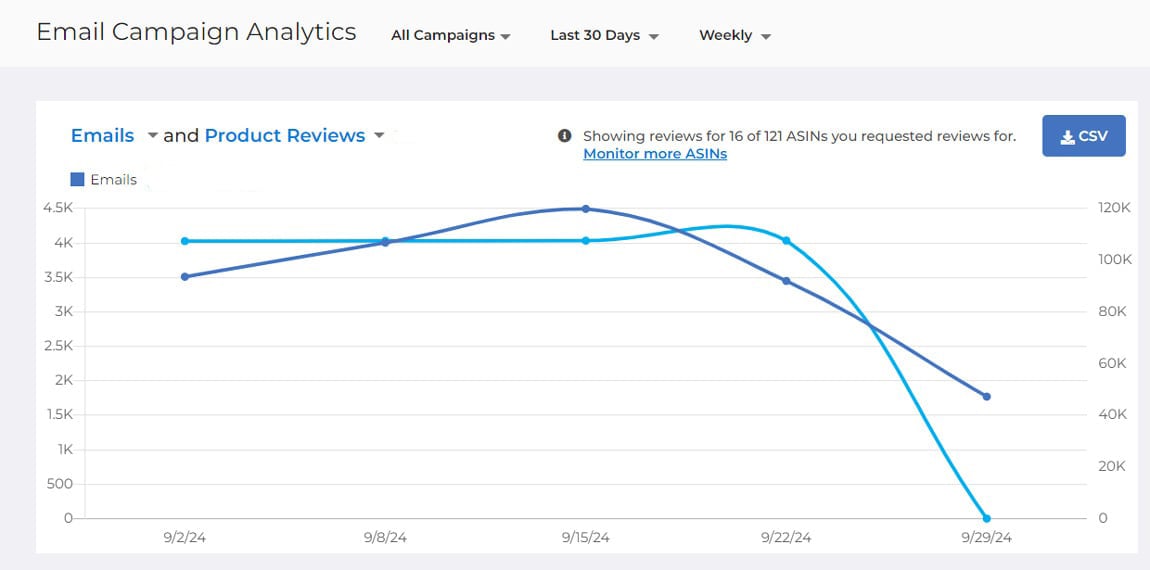
A review stockout doesn’t announce itself like inventory does. It shows up as:
Over time, those minor shifts add up to a very real tax on growth.
And the worst part?
You can be doing everything else right.
You’re in stock. You’re shipping fast. You’re priced well.
You’re just… out of trust.
Here’s the routine: one monthly “trust tune-up” you can run across your catalog.
You don’t need a 37-step dashboard ritual. You need a reliable system that keeps review velocity from flatlining.
Start with:
Use a simple grid. For each SKU, track:
This is your “trust availability” scorecard.
Targets vary by category and sales volume, but your goal is consistency—not perfection.
Examples of practical targets:
Your target should align with how much traffic and spend the SKU gets. If you’re pouring gas (ads) on a listing, don’t starve the social proof engine.
Flag SKUs where:
These SKUs move to the top of the action list.
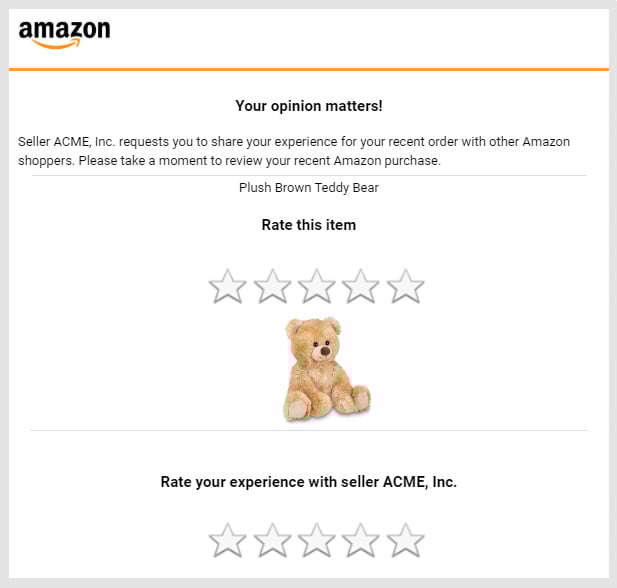
This is where most sellers get stuck:
They know what to do… but it’s manual. Inconsistent. Easy to forget.
That’s why the best routine is the one that runs even when you’re busy putting out the other 900 fires.
When a SKU hits a review drought, your goal is not “more reviews at any cost.”
Your goal is:
A few practical levers:
1) Prioritize your highest-impact moments
If you’re sending compliant review requests, make sure the trigger timing matches real delivery/usage patterns.
2) Don’t let catalog complexity break consistency
Large catalogs create “review blind spots.” Automation prevents certain SKUs from becoming accidental ghost towns.
3) Keep it steady (not spiky)
Review velocity works best when it looks like normal customer behavior—because it is.
You will. Everyone does.
And paradoxically, a small number of negative reviews can actually increase credibility, because buyers get suspicious when everything looks unrealistically perfect.
The goal isn’t “no negatives.”
The goal is:
A review system that only runs when you’re feeling brave is not a system. It’s a mood.
Reviews aren’t just trust assets. They’re conversion copy.
Every month, pull recurring phrases from recent reviews and use them to improve:
If customers keep saying “fits perfectly in my cup holder,” you don’t hide that in review #47, you feature it (truthfully and compliantly) where buyers can see it.
Here’s a lightweight monthly cadence:
Inventory stockouts are loud. Social proof stockouts are quiet.
But buyers are loud in their actions:
They leave.
And since nearly everyone reads reviews at least sometimes, keeping your review velocity healthy isn’t optional, it’s foundational.
Your goal isn’t to “get more reviews.”
Your goal is to keep trust available… month after month, SKU after SKU, without relying on luck.
Build review consistency with FeedbackFive
Turn review collection into an Amazon-compliant system that protects your conversion rate the same way RestockPro protects your inventory.
FAQs: Keeping Amazon Review Velocity Healthy (Without Losing Your Mind)
Q: 1: What is Amazon review velocity?
Amazon review velocity is the rate your listing earns new reviews over time (weekly/monthly), and not your total review count. It matters because shoppers don’t just want proof that people liked your product once… they want proof people like it recently. A steady flow of fresh reviews keeps your listing feeling active, credible, and “safe to buy.”
Q: 2: How does a drop in review velocity affect conversion?
When review velocity slows, your listing can start to feel stale, even if you have a strong star rating and plenty of total reviews. That can quietly lower conversion, which often shows up as needing more traffic (or more ad spend) to get the same sales. Translation: your product is in stock, but your trust signal is running low.
Q: 3: What causes Amazon review velocity gaps?
The usual suspects:
● Seasonality: sales dip → review flow dips
● Catalog neglect: bestsellers get attention, mid-tier SKUs turn into review deserts
● Variation changes: buyers spread across child ASINs, review inflow thins
● Manual process: “we request reviews when we remember” (aka never during chaos weeks)
● Negative review fear: sellers pause outreach when they should stabilize it
Q: 4: What is a monthly review maintenance routine?
A review maintenance routine is a simple monthly habit that keeps review velocity from flatlining. Think of it like brushing your teeth for trust: small, consistent, and wildly preferable to emergency dental work.
A solid routine includes:
● Checking days since last review for key SKUs
● Watching new reviews per month (especially for advertised products)
● Spotting review droughts before conversion drops
● Ensuring your review request process is consistent (not vibes-based)
Q: 5: How do I keep reviews consistent on Amazon without getting flagged?
Keep it compliant, consistent, and boring (in a good way):
● Use Amazon-approved messaging (no incentives, no gating, no “only if you loved it”)
● Keep the tone neutral and customer-friendly
● Be consistent over time - spiky, sudden surges look unnatural
● Systemize the process so it runs even when you’re busy
If you want consistency without living in spreadsheets, this is where automation helps.
Q: 6: How many reviews per month should I aim for to maintain review velocity?
There’s no one magic number… it depends on your sales volume and category. A practical rule:
● High-volume SKUs: steady weekly inflow
● Mid-volume SKUs: a few per month
● Long-tail SKUs: at least one every 4–6 weeks (if they’re getting meaningful traffic)
The key is not “more forever.” It’s enough freshness to keep trust available—especially for listings you’re actively driving traffic to.
Q: 7: What’s the easiest way to build a review routine I’ll actually follow?
Make it ridiculously simple:
1. Create a “Trust Watch List” (top SKUs + anything you advertise)
2. Track three fields monthly: new reviews, days since last review, rating themes
3. Flag droughts and fix coverage
4. Automate review requests so your routine doesn’t rely on memory or motivation









No Comments Yet
Let us know what you think